(9/20/00)
Where are they? -- D. Min. projects are located in the Annex
How can I find the call number in ACORN? -- The records for the D. Min. projects are integrated into the Acorn catalog, so patrons can Search for them in Acorn by author, title and keyword, just as they would a book title.
How can I retrieve the item? -- Patrons fill out an Annex Request (either online or paper) once they have a call number and author/title information.
How long can I keep it? -- Patrons with borrowing privileges may check out the items on a short "reserve-like" 4-hour loan period. Patrons that are visitors requesting Annex materials must use the items in the reference room and cannot take them out of the library.
How can I get a complete list of VU D. Min projects? -- Follow the directions below and print the list from the computer.
Compiling a complete D. Min. List on Acorn
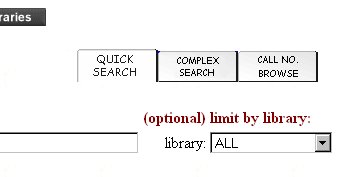
1) Look for the Call Number Browse tab on the Public Acorn (webcat) screen.
2) Select the Call No. Browse button so that search is "on top"
3) Type in "D.Min" in the Call Number field
4) Limit the search to the Divinity Library
5) Select "ALPHANUM" as the Shelving scheme
When you are finished, it should look like the screen below:
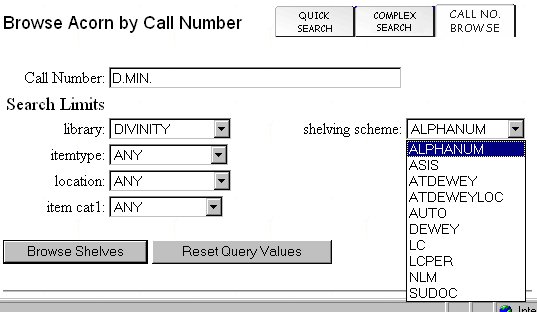
6) Click on Browse shelves
7) Follow the instructions for printing a set of records.