Recalls and Holds
(updated 8/20/00)
for Patrons | for Reserves | Receiving Recalled Items |
Problems
Place Recalls For Patrons in Web ACORN
Encourage the patron to place the recall by his/her self in the public
WEB ACORN screen.
Show the patron the Request Services website at -- http://divinity.library.vanderbilt.edu/gcommun.html
If the patron will not/cannot figure out how to do this,
have the patron give you the citation information and his/her social security
number. You can place the recall yourself following the instructions for
recalling for reserves.
Place Recalls for Reserves in the Staff Workflows screen
Remember, you will be following a different set of directions than a
patron using the Webform!
- Step 1: Open the item search&display wizard (see below)
OR use F3
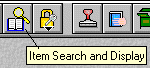
- 2: Look up the record for the item that the patron wishes to
recall, and leave the record open on the desk top.
- 3: Select place hold wizard
(see below) OR use F4 key
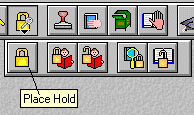
- Swipe patron's ID card (or type in h/her SSN and press enter)
- Screen message: Hold placed
If the person wants to place a hold rather than a
recall, change "recall status" to No recall before swiping the
card or pressing enter
Receiving Recalled Items
When you discharge items that have
been recalled, you will receive a screen message
prompting you to put the item on the Hold Shelf for the patron.
On a slip of scratch paper, write down
the patron's name LAST name first.
File the book on the hold shelf in
alphabetical order by last name
Problems or Patron Questions
- The current user of a recalled book has 10-14 weeks in
which to return the book before accruing RECALL fines. The 10-14 day
period is determined by the computer based on the Library's open schedule
and the patron's current due date on the request book.
- Recall fines are assessed separately from Overdue
fines.
- The library cannot guarantee that the
current user will bring the item in on its recall date.
- The current user will accrue $1/day fines if the book
is kept after the recall due date.
- Any requests to "work something out" with the
current user must go through the Public Services Librarian.
- Under no circumstance reveal the current user's name.
- You may let the patron know when the book is due
even though the due date may reveal what patron category the person belongs
to. (EX: a faculty due date)
- If message reads: "No items qualified for hold at this
time" this means that the recall cannot be placed.
Possible reasons are:
- the item is reference or some other non-circulating
category
- it is not checked out but misshelved
- the item is in-process and requires a RUSH request,
not a RECALL request
- the book has already been recalled by another user
- the book belongs to another library -- Divinity may
only recall Divinity books
Return to Circulation Index